
How to Clean a Breville Espresso Machine (Step-by-Step Guide)
What You Need Before Cleaning a Breville Espresso Machine Before cleaning your machine, gather the necessary supplies. Having everything ready makes the process easier and reduces the risk of damaging sensitive…
By Menu Moments
Menu Moments editorial
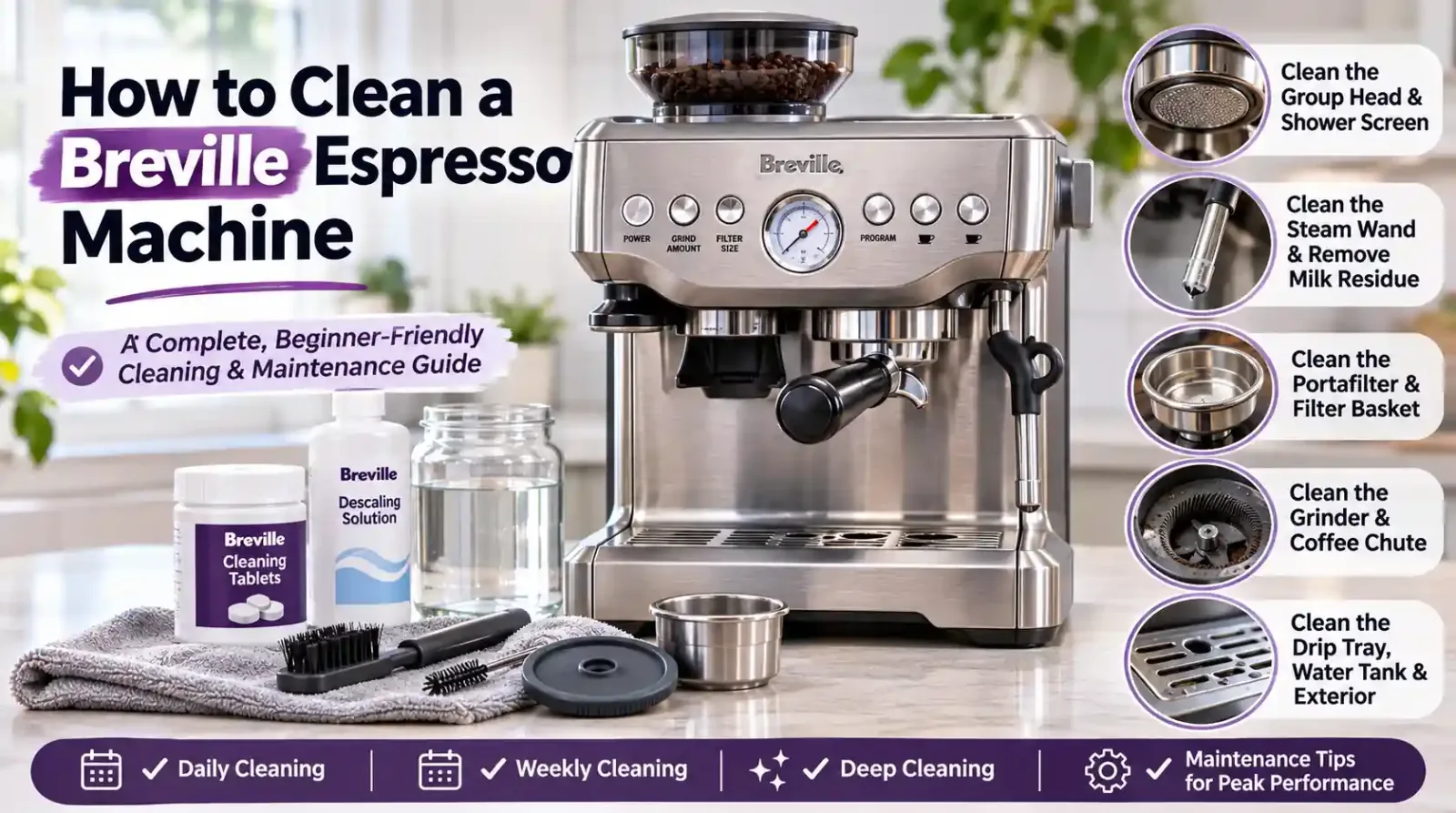
What You Need Before Cleaning a Breville Espresso Machine
Before cleaning your machine, gather the necessary supplies. Having everything ready makes the process easier and reduces the risk of damaging sensitive components.
Essential Cleaning Tools
You will need:
| Cleaning tool | Purpose |
|---|---|
| Breville cleaning tablets | Remove coffee oils and residue during cleaning cycles |
| Breville cleaning disc | Helps create pressure during backflushing |
| Silicone cleaning disc | Covers the filter basket during the cleaning cycle |
| Blind filter basket | Used for backflushing on compatible models |
| Cleaning brush | Removes loose coffee grounds from the group head and grinder |
| Microfiber cloth | Cleans the exterior and stainless steel surfaces |
| Warm soapy water | Cleans removable accessories |
| Non-abrasive cleaner | Removes exterior dirt without scratching surfaces |
| Descaling solution | Removes mineral deposits and limescale |
| Small container | Collects water and cleaning solution |
Important Safety Precautions
Before starting any cleaning procedure:
Turn off the espresso machine when performing manual maintenance.
Allow hot components to cool before removing or handling them.
Disconnect the power supply before cleaning areas that could expose electrical components.
Never immerse the machine, power cord, or plug in water.
Avoid abrasive cleaners, steel wool, and harsh chemicals.
Never force removable components into position.
Follow the cleaning instructions for your specific Breville model.
Do not confuse routine cleaning with descaling. Cleaning removes coffee oils and residue, while descaling removes mineral deposits from the internal water system.
How to Clean a Breville Espresso Machine Step by Step
If you want to know how to clean a Breville espresso machine at home, start with the components that collect coffee residue during everyday use. You do not need to perform a complete deep cleaning after every cup of coffee.
Follow these steps to maintain your machine properly.
Step 1: Turn Off the Machine and Remove Accessories
Start by switching off your Breville espresso machine. Allow it to cool if you have recently prepared coffee or steamed milk.
Remove the following accessories:
Portafilter
Filter basket
Drip tray
Water tank
Bean hopper, if removable
Removable grinder components, if required for cleaning
Place the removable components on a clean surface.
Empty the remaining coffee grounds from the portafilter and remove any loose residue. Avoid touching hot surfaces or removing internal components that are not designed for user maintenance.
Step 2: Clean the Portafilter and Filter Basket
The portafilter and filter basket come into direct contact with ground coffee and espresso. Over time, coffee oils accumulate on their surfaces and can affect the flavor of your drinks.
Proper portafilter cleaning is therefore an important part of everyday maintenance.
Follow these instructions:
Remove the filter basket from the portafilter.
Dispose of any remaining coffee grounds.
Rinse both components under warm or hot running water.
Use a soft cleaning brush to remove stubborn coffee particles.
Wash with warm soapy water when necessary.
Rinse thoroughly to remove all soap residue.
Dry both components with a clean microfiber cloth.
How to Clean a Breville Portafilter Thoroughly
If your portafilter has visible coffee oil buildup, soak the metal parts in a solution prepared with a Breville cleaning tablet according to the product instructions.
Avoid soaking the portafilter handle unless the manufacturer specifically permits it. Rinse all cleaned parts thoroughly before using them again.
How to Clean a Breville Filter Basket
Inspect the filter basket for blocked openings. If coffee particles are stuck inside the holes, use the cleaning tool supplied with your machine to remove them.
For stubborn blockages, some Breville manuals recommend soaking the basket in a cleaning tablet solution for approximately 20 minutes.
After soaking, rinse it thoroughly with clean water.
Step 3: Clean the Group Head and Shower Screen
The group head is the component that distributes hot water through the coffee puck during espresso extraction.
The shower screen helps distribute water across the coffee grounds. Coffee particles and oils can accumulate around this area after repeated use.
To perform group head cleaning:
Remove the portafilter.
Switch off the machine and allow the group head to cool.
Use a damp microfiber cloth to wipe the group head interior.
Clean around the group head gasket.
Remove loose coffee grounds using a soft cleaning brush.
Carefully wipe the shower screen.
Rinse the group head using the machine's normal water dispensing controls when appropriate.
How to Clean a Breville Shower Screen
Use a damp cloth or soft cleaning brush to remove visible residue from the shower screen.
Do not use sharp metal objects or abrasive cleaning pads because they can damage the screen.
If coffee residue remains around the group head, perform a clear water backflush if your particular model supports this procedure.
Step 4: Clean the Steam Wand
The steam wand is responsible for heating and texturing milk for drinks such as cappuccinos, lattes, and flat whites.
Milk residue can dry quickly around the steam wand tip. If you leave it uncleaned, dried milk can block the small steam openings and reduce frothing performance.
Steam wand cleaning should happen immediately after every milk-steaming session.
Follow these steps:
Wipe the steam wand with a damp microfiber cloth immediately after use.
Direct the wand toward the drip tray.
Briefly activate the steam function to purge remaining milk from the nozzle.
Wipe the wand again with a clean cloth.
Inspect the steam wand tip for dried milk residue.
How to Remove Stubborn Milk Residue
If milk residue has dried around the nozzle, use a damp cloth and the appropriate steam wand cleaning tool.
For removable steam wand tips, consult your machine's manual before unscrewing them.
If the steam wand remains blocked, switch off the machine and allow it to cool before using the supplied cleaning pin to clear the openings.
Milk Frother Maintenance
Proper milk frother maintenance is especially important for the Breville Bambino Plus, Barista Touch, and Barista Touch Impress.
Some models have automatic milk texturing and steam wand cleaning features. Follow the on-screen cleaning instructions where available.
Never leave milk inside the steam wand after preparing a drink.
Step 5: Clean the Drip Tray
The drip tray collects excess water, coffee drips, and liquid released during cleaning cycles.
If you do not empty it regularly, it can develop unpleasant odors and coffee residue.
For proper drip tray cleaning:
Carefully remove the drip tray.
Empty the collected water.
Remove the drip tray grid.
Take out the coffee grounds container or separator if your model includes one.
Wash removable parts with warm soapy water.
Use a soft cloth to remove coffee stains.
Rinse everything thoroughly.
Dry the components before reinstalling them.
How to Clean a Breville Drip Tray
Pay particular attention to the corners and areas where coffee grounds collect. These areas can develop stubborn residue if left unattended.
Check the EMPTY ME! indicator where available. Empty the tray whenever the indicator shows that it is full.
Step 6: Clean the Water Tank
The water tank stores the water used for espresso extraction, hot water dispensing, and steam production.
Keeping it clean helps maintain water quality and prevents dirt or residue from accumulating.
Follow these instructions:
Remove the water tank from the machine.
Empty any remaining water.
Wash the tank using warm water and mild dish soap.
Use a soft cloth to clean the interior.
Rinse thoroughly.
Allow the tank to dry or refill it with fresh water according to the manufacturer's instructions.
Reinstall it securely.
How to Clean a Breville Water Tank
Do not use abrasive sponges or strong chemicals inside the tank.
Inspect the water filter holder and surrounding areas for visible residue. If your machine uses a replaceable water filter, follow the recommended replacement schedule.
Water Filter Replacement
Breville water filters help reduce certain impurities and mineral deposits in the water supply.
Replacement intervals depend on the model and water conditions. Some machines recommend replacing the filter every two months, while other models use a three-month or water-volume-based schedule.
If you live in an area with hard water, check the manufacturer's recommendations and replace the filter when required.
Step 7: Clean the Exterior and Cup Warming Tray
The outside of your Breville espresso machine can collect fingerprints, dust, water spots, and coffee splashes.
Use a soft, slightly damp microfiber cloth to clean:
Stainless steel housing
Plastic exterior surfaces
Control buttons
Touchscreen display
Cup warming tray
Side panels
Removable storage tray
For stainless steel surfaces, wipe gently in the direction of the grain when applicable.
Avoid spraying water or cleaning products directly onto the machine.
For touchscreen models, use a soft, dry or slightly damp cloth according to the manufacturer's instructions. Keep moisture away from openings and electrical controls.
How to Run the Breville Cleaning Cycle
Breville espresso machines include cleaning procedures designed to remove coffee oils and residue from internal brewing components.
Depending on the model, this process may be called a cleaning cycle, flush cycle, or backflush cycle.
A Breville cleaning cycle generally uses a cleaning tablet and a silicone cleaning disc to flush accumulated coffee residue from the group head and related components.
What Is a Breville Cleaning Cycle?
A cleaning cycle is different from manually rinsing the portafilter or wiping the shower screen.
During backflushing, the machine uses pressure to move water and cleaning solution through the brewing system and remove accumulated coffee oils.
Some machines automatically notify you when a cleaning cycle is required.
For example:
The Breville Barista Express uses a CLEAN / DESCALE indicator.
The Breville Barista Pro displays a FLUSH alert.
The Breville Barista Touch provides an on-screen cleaning prompt.
The Breville Barista Touch Impress provides model-specific cleaning instructions.
Always follow the instructions displayed by your machine.
Cleaning Tablets and Cleaning Disc Installation
Before starting the cycle, make sure you have the correct accessories.
The usual setup for compatible models involves:
Insert the one-cup filter basket into the portafilter.
Place the supplied silicone cleaning disc inside the basket.
Put one compatible Breville cleaning tablet in the designated position.
Lock the portafilter into the group head.
Empty the drip tray.
Fill the water tank with clean water.
The exact arrangement can differ between models. Use the supplied cleaning disc and the instructions in your machine's manual.
Breville Barista Express Cleaning Cycle
The Breville Barista Express has an automatic cleaning cycle.
When the CLEAN / DESCALE indicator flashes to request a cleaning cycle, follow the appropriate instructions:
Insert the one-cup filter basket into the portafilter.
Add the supplied cleaning disc.
Place one cleaning tablet on the disc.
Lock the portafilter into the group head.
Make sure the water tank is filled and the drip tray is empty.
Turn the machine off.
Press and hold the one-cup, two-cup, and power buttons simultaneously for approximately 10 seconds, following the applicable manual.
Allow the cleaning cycle to run.
Wait for the completion signal.
Remove the portafilter and check whether the tablet has dissolved.
Rinse the portafilter and filter basket thoroughly.
The cleaning cycle on the Barista Express takes approximately five minutes.
How to Clean Breville Barista Express Impress
The Breville Barista Express Impress includes an assisted tamping system and an integrated grinder.
Its cleaning process includes several of the same maintenance tasks as the original Barista Express:
Clean the portafilter and filter basket.
Wipe the group head and shower screen.
Clean the steam wand after milk texturing.
Empty and wash the drip tray.
Clean the grinder when necessary.
Run the machine's prompted cleaning cycle.
Use the cleaning procedure provided in the Barista Express Impress manual rather than assuming every button combination is identical to the original model.
How to Clean Breville Barista Pro
The Breville Barista Pro uses an LCD display to guide users through different maintenance procedures.
When the FLUSH alert appears, prepare the machine using the supplied cleaning disc and tablet.
The general procedure is:
Insert the cleaning disc into the filter basket.
Place a cleaning tablet on top of the disc.
Lock the portafilter into the group head.
Empty and reinstall the drip tray.
Fill the water tank to the MAX line.
Open the menu.
Navigate to the FLUSH option.
Select the option using the appropriate control.
Press the one-cup button to start the cycle.
Wait until the machine indicates that the cycle is complete.
Check the cleaning disc afterward. If the tablet has not completely dissolved, repeat the cycle as directed by the manual.
How to Clean Breville Barista Touch
The Breville Barista Touch makes cleaning easier through its touchscreen interface.
To run its cleaning cycle:
Open the Settings menu using the touchscreen.
Select the Clean Cycle option.
Empty the drip tray.
Insert the one-cup filter basket into the portafilter.
Place the silicone cleaning disc inside the basket.
Position a Breville cleaning tablet in the center.
Lock the portafilter into the group head.
Select Start on the touchscreen.
Allow the automatic cleaning cycle to finish.
Check whether the tablet has dissolved completely.
Remove the portafilter and rinse the basket.
Run a short water flush through the group head.
The touchscreen provides instructions during the process, making it convenient for beginners.
How to Clean Breville Barista Touch Impress
The Breville Barista Touch Impress combines touchscreen controls, assisted tamping, and automatic milk texturing.
Its cleaning requirements include:
Regular portafilter rinsing.
Group head and shower screen cleaning.
Steam wand cleaning.
Drip tray maintenance.
Grinder cleaning.
Prompted flush cycles.
Periodic descaling.
When the machine requests a cleaning cycle, follow the on-screen instructions. Do not use the cleaning sequence for another model unless Breville confirms that it applies.
How to Clean Breville Dual Boiler
The Breville Dual Boiler has separate boilers for brewing espresso and producing steam.
This design requires regular maintenance of both the coffee brewing components and the steam system.
Important cleaning tasks include:
Rinse the portafilter and filter baskets after use.
Wipe the shower screen and group head.
Clean the steam wand after milk steaming.
Empty the drip tray.
Perform the recommended cleaning cycle.
Descale according to the model-specific instructions.
Because the Dual Boiler has a different internal design, always consult its dedicated manual before performing advanced cleaning or maintenance.
How to Clean Breville Oracle and Oracle Touch
The Breville Oracle and Oracle Touch feature automated grinding, dosing, and tamping systems.
In addition to cleaning the espresso brewing components, pay attention to the integrated grinder and automatic milk texturing system.
Regular maintenance should include:
Cleaning the portafilter and filter basket.
Removing coffee grounds from the tamping area.
Cleaning the group head.
Wiping the steam wand.
Emptying the drip tray.
Cleaning the bean hopper.
Maintaining the grinder and coffee chute.
Running prompted cleaning cycles.
The Oracle Touch provides touchscreen guidance for several maintenance tasks. Follow its on-screen instructions and the dedicated product manual.
How to Clean Breville Bambino Plus
The Breville Bambino Plus is a compact espresso machine with automatic milk texturing.
Its cleaning requirements are relatively straightforward.
Rinse the portafilter and filter basket after brewing.
Wipe the group head and shower screen.
Clean the steam wand after every milk-steaming session.
Remove and wash the drip tray.
Clean the water tank.
Perform the recommended cleaning and descaling procedures.
The Bambino Plus also has a dedicated steam wand cleaning procedure. If the steam wand becomes blocked, use the supplied cleaning tool as directed in the manual.
How to Clean Breville Bambino
The standard Breville Bambino also requires regular cleaning of its portafilter, filter basket, group head, drip tray, and steam wand.
Because its controls and maintenance procedures differ from the Bambino Plus, check the correct manual before starting a cleaning or descaling cycle.
How to Backflush a Breville Espresso Machine
Espresso machine backflushing is an important maintenance procedure for compatible Breville models.
It helps remove coffee oils and residue from the internal brewing system.
There are two common approaches:
Clear water backflush.
Cleaning tablet backflush.
Clear Water Backflush
A clear water backflush uses water without a cleaning tablet.
It is intended to rinse residual coffee particles from compatible brewing components.
General steps include:
Remove the used coffee puck.
Rinse the filter basket.
Insert the appropriate empty filter basket and portafilter.
Lock the portafilter into the group head.
Run the model-approved rinse or backflush procedure.
Empty the drip tray if necessary.
Not every Breville model supports the same backflushing method. Follow the specific manual.
Breville Backflush Using Cleaning Tablets
A cleaning tablet backflush is used to remove more persistent coffee oil buildup.
The process generally requires:
A compatible cleaning tablet.
A silicone cleaning disc.
The correct filter basket.
The portafilter.
Clean water.
Insert the accessories as instructed and run the machine's designated cleaning cycle.
Do not improvise pressure-release procedures or operate a machine in a cleaning mode that is not specified in its manual.
How to Descale a Breville Espresso Machine
Cleaning and descaling are two different maintenance procedures.
While cleaning tablets remove coffee oils, descaling Breville espresso machine components removes mineral buildup caused by hard water.
Water contains naturally occurring minerals such as calcium and magnesium. When heated repeatedly, these minerals can form limescale inside the machine.
Over time, mineral deposits may affect:
Water flow.
Brewing temperature.
Heating performance.
Espresso extraction.
Steam production.
Overall machine efficiency.
Signs Your Breville Machine Needs Descaling
Watch for these common warning signs:
Reduced water flow.
Longer heating times.
Unusual noises during operation.
Inconsistent brewing temperature.
Reduced steam performance.
Mineral deposits inside the water tank.
A flashing descale indicator.
Using Breville Descaling Solution
A manufacturer-approved Breville descaling solution is generally the safest choice when the machine's manual specifies its use.
The exact procedure depends on the model.
A typical process includes:
Remove and empty the water tank if instructed.
Prepare the descaling solution according to its packaging.
Add the solution to the water tank as directed.
Place a suitable container under the coffee outlet and steam wand.
Activate the model's descaling mode.
Follow the machine's prompts.
Empty and rinse the tank when instructed.
Complete the required fresh-water rinse cycle.
Reinstall the water tank and drip tray.
Some Breville machines use separate stages for coffee, hot water, and steam. Do not skip any stage.
For detailed instructions, see our guide on how to descale a Breville espresso machine.
Vinegar vs. Descaling Solution
Many people ask whether vinegar is suitable for cleaning a Breville espresso machine.
Although some older espresso machine manuals mention diluted white vinegar for descaling, this does not mean vinegar is appropriate for every Breville model.
Vinegar may leave an unpleasant smell, require extensive rinsing, or conflict with the manufacturer's maintenance recommendations.
For this reason, use the descaling solution recommended in your specific machine's instruction manual.
Can you use vinegar in a Breville espresso machine?
Only if the instructions for your exact model explicitly permit it. Otherwise, choose the recommended descaling product.
Cleaning Cycle vs. Descaling
Understanding the difference between these procedures prevents unnecessary maintenance problems.
| Feature | Cleaning cycle | Descaling |
|---|---|---|
| Main purpose | Removes coffee oils and residue | Removes mineral deposits |
| Cleaning product | Espresso cleaning tablet | Descaling solution |
| Main area | Brewing system and group head | Internal water pathways |
| Typical trigger | Cleaning or flush indicator | Descale indicator or maintenance schedule |
| Main benefit | Better coffee flavor and extraction | Better water flow and heating performance |
Never assume that running a cleaning cycle also completes descaling. Both procedures serve different purposes.
How to Clean a Breville Espresso Grinder
If your Breville espresso machine has an integrated grinder, regular grinder cleaning is important for consistent coffee preparation.
Coffee beans contain natural oils that can accumulate around burrs, the bean hopper, and the coffee chute.
Over time, coffee grounds may become trapped inside the grinder and affect grind consistency.
How to Clean Breville Grinder Components
Follow these steps:
Turn off and unplug the machine.
Remove the remaining beans from the hopper.
Remove the hopper according to the manual.
Brush loose coffee grounds from accessible areas.
Remove the upper burr only if your model allows user removal.
Clean the burrs using an appropriate dry cleaning brush.
Remove accumulated grounds from the coffee chute.
Reinstall all components correctly.
Burr Grinder Cleaning
The burr grinder is responsible for grinding coffee beans into particles suitable for espresso extraction.
Use a dry cleaning brush to remove loose coffee particles from the burr surfaces.
Avoid using water on the burrs or internal grinder components unless the manufacturer specifically permits it.
Never insert your fingers into the grinder while the machine is connected to power.
Bean Hopper Cleaning
Remove leftover beans before cleaning the hopper.
Wash removable hopper components only if the manual allows it. Make sure they are completely dry before reinstalling them.
Moisture inside the hopper can cause coffee grounds to stick together and interfere with grinding.
Coffee Chute Cleaning
The coffee chute transports freshly ground coffee toward the portafilter or dosing area.
Coffee grounds can accumulate inside this passage and eventually restrict the flow of freshly ground coffee.
Use the supplied cleaning brush or the manufacturer's recommended method to remove accumulated particles.
How Often Should You Clean a Breville Espresso Machine?
The cleaning frequency depends on how often you make coffee, your water quality, and your particular Breville model.
However, following a consistent maintenance schedule can help prevent major problems.
Daily Espresso Machine Cleaning
Daily espresso machine cleaning should take place after every brewing session.
Recommended tasks include:
Rinsing the portafilter.
Cleaning the filter basket.
Wiping the group head.
Cleaning the shower screen.
Purging and wiping the steam wand.
Emptying the drip tray.
Removing visible coffee grounds.
Wiping the exterior.
These small tasks prevent coffee residue and milk buildup.
Weekly Espresso Machine Cleaning
Weekly espresso machine cleaning should focus on components that collect residue over several days.
Recommended tasks include:
Washing the drip tray.
Cleaning the water tank.
Inspecting the filter basket openings.
Cleaning accessible grinder areas.
Checking the shower screen.
Inspecting the steam wand tip.
Cleaning the cup warming tray.
Checking the water filter.
Run a prompted cleaning cycle whenever the machine requests one rather than waiting for a particular day of the week.
Deep Cleaning Breville Espresso Machine
Deep cleaning Breville espresso machine components involves more detailed maintenance.
Depending on your model and usage, this may include:
Running a cleaning tablet cycle.
Cleaning the portafilter and filter baskets.
Removing stubborn coffee oil buildup.
Cleaning the grinder and coffee chute.
Inspecting the group head gasket.
Checking the steam wand tip.
Replacing the water filter.
Descaling when necessary.
Do not dismantle internal components unless the manufacturer identifies them as user-serviceable.
Breville Maintenance Schedule
Here is a practical maintenance schedule for home espresso machine owners.
| Component | Recommended frequency |
|---|---|
| Portafilter | After every use |
| Filter basket | After every use |
| Steam wand | Immediately after milk steaming |
| Group head | Daily |
| Shower screen | Daily or as needed |
| Drip tray | Daily or when full |
| Water tank | Regularly |
| Grinder | According to usage and manual |
| Cleaning cycle | When prompted |
| Descaling | According to water conditions and manual |
| Water filter | According to model instructions |
| Exterior | As needed |
Following this schedule makes espresso machine maintenance easier and helps maintain consistent performance.
Common Breville Espresso Machine Cleaning Problems and Solutions
Even with regular maintenance, you may occasionally experience problems during cleaning.
Understanding the common causes can help you identify and resolve simple issues.
Breville Clean Me Light Is Flashing
The Breville clean me light indicates that the machine needs its cleaning cycle.
On compatible models, the indicator appears when the machine has reached its programmed cleaning interval.
To resolve this issue:
Prepare the cleaning disc and tablet.
Insert the correct filter basket.
Install the cleaning accessories.
Follow the model-specific cleaning cycle instructions.
Allow the process to finish.
Check that the cleaning tablet has dissolved.
Why Is My Breville Clean Light Flashing?
A flashing clean indicator usually means that a cleaning cycle is required.
However, some machines use combined CLEAN / DESCALE indicators, so it is important to identify whether the machine is requesting cleaning or descaling.
Check the display and instruction manual before proceeding.
How to Reset Clean Me Light
On compatible Breville models, completing the designated cleaning cycle automatically clears the cleaning reminder.
If the indicator continues flashing, check whether:
The cycle completed successfully.
The cleaning tablet dissolved.
The correct cleaning accessories were installed.
The machine returned to its normal operating mode.
Do not assume that every Breville model uses the same reset button combination.
Clean Descale Light Flashing
A flashing CLEAN / DESCALE indicator can have different meanings depending on the model.
On the Barista Express, for example, the cleaning reminder and descaling requirements are separate procedures, even though the indicator is shared.
Consult the manual to determine which maintenance procedure is required.
Blocked Filter Basket
A blocked filter basket can prevent water from flowing properly through the coffee grounds.
To resolve this issue:
Remove the filter basket.
Rinse it under running water.
Inspect the small openings.
Use the supplied cleaning pin to remove trapped particles.
Soak the basket in an appropriate cleaning tablet solution if recommended.
Rinse thoroughly before use.
Clogged Group Head
A clogged group head can result from accumulated coffee grounds and oil residue.
Clean the shower screen, wipe the group head interior, and perform a compatible cleaning cycle.
If the blockage remains, contact Breville support rather than attempting to dismantle the internal brewing system.
Weak Espresso Flow
Weak espresso flow can result from several problems, including:
A blocked filter basket.
Excessively fine coffee grounds.
Too much coffee in the basket.
Coffee grounds packed too tightly.
Mineral buildup.
Dirty brewing components.
Start by checking the filter basket and cleaning the group head. If the problem continues, investigate grind size, dose, and descaling requirements.
Bitter Coffee Taste
Coffee oil buildup can contribute to unpleasant and bitter flavors.
Old coffee residue inside the portafilter, filter basket, and group head may affect the flavor of freshly prepared espresso.
Clean these components regularly and ensure that your grinder does not contain stale coffee grounds.
Bad Coffee Smell
An unpleasant coffee smell can indicate old coffee residue, dirty drip trays, stagnant water, or accumulated milk residue.
Clean the drip tray, water tank, portafilter, filter basket, and group head.
Always use fresh water and avoid leaving used coffee grounds inside the machine.
Steam Wand Blockage
A steam wand blockage commonly occurs when milk dries inside the nozzle.
To address it:
Turn off the machine.
Allow the steam wand to cool.
Wipe away visible milk residue.
Use the supplied cleaning pin where appropriate.
Remove and clean the steam tip only if the manual permits it.
Reassemble the tip securely.
Test the steam wand using the recommended procedure.
Common Mistakes to Avoid When Cleaning a Breville Espresso Machine
Proper espresso machine hygiene requires using the correct cleaning methods.
Avoid these common mistakes:
Using the Wrong Cleaning Products
Do not use random household chemicals inside your espresso machine.
Choose compatible cleaning tablets and descaling products recommended by Breville.
Ignoring the Steam Wand
Leaving milk residue inside the steam wand can cause blockages and reduce milk frothing performance.
Always wipe and purge the wand after steaming.
Skipping the Cleaning Cycle
Coffee oils accumulate inside the brewing system even when the external components look clean.
Complete the prompted cleaning cycle when required.
Confusing Cleaning With Descaling
Cleaning tablets and descaling solutions serve different purposes.
Using one procedure instead of the other will not address every type of buildup.
Using Abrasive Cleaning Materials
Avoid steel wool, abrasive pads, and harsh cleaners on stainless steel, plastic, and coated surfaces.
Use a soft microfiber cloth instead.
Not Rinsing Components Properly
Cleaning solution and soap residue should not remain on coffee-contact components.
Rinse the portafilter, filter basket, drip tray, and other washed accessories thoroughly.
Assuming Every Part Is Dishwasher Safe
Some removable Breville accessories are designed for handwashing.
Do not place machine parts in a dishwasher unless the manual for your exact model specifically confirms that they are dishwasher-safe.
Tips to Maintain Breville Espresso Machine Performance
Good maintenance habits can help your machine produce consistent espresso for years.
Here are some useful recommendations:
Use fresh, clean water.
Replace the water filter according to the manufacturer's schedule.
Empty the drip tray regularly.
Remove used coffee grounds immediately after brewing.
Clean the steam wand after every milk-steaming session.
Keep the bean hopper free from stale coffee residue.
Follow the cleaning cycle reminders.
Descale according to water hardness and model instructions.
Store the machine in a clean, dry environment.
Read the manufacturer's maintenance instructions before removing internal components.
If you are still learning espresso preparation, our guide to how to use an espresso machine explains the basic brewing process and how to operate your equipment correctly.
For more general maintenance advice, see our article on how to clean an espresso machine.
If you are considering upgrading your coffee setup, explore our recommendations for the best espresso machines under $500.
Frequently Asked Questions About Cleaning a Breville Espresso Machine
How to Clean a Breville Espresso Machine at Home?
You can clean a Breville espresso machine at home using a soft microfiber cloth, warm soapy water, a cleaning brush, compatible cleaning tablets, and the manufacturer's recommended descaling solution.
Start by rinsing the portafilter and filter basket, wiping the group head, cleaning the steam wand, emptying the drip tray, and washing the water tank. Run the prompted cleaning cycle when required.
How Often Should I Clean My Breville Espresso Machine?
Clean the portafilter, filter basket, steam wand, and group head after every brewing session. Wash removable accessories regularly and run the cleaning cycle whenever the machine requests it. Descale according to your water conditions and the manufacturer's instructions.
How Long Does a Breville Cleaning Cycle Take?
The cleaning cycle on the Breville Barista Express takes approximately five minutes. Other models may have different cycle durations. Check the display or instruction manual for your specific machine.
What Cleaning Tablets Does Breville Use?
Breville espresso machines use compatible espresso machine cleaning tablets designed to remove coffee oils and residue from the brewing system.
Use the cleaning tablets recommended for your model and follow the packaging instructions.
Can You Use Vinegar in a Breville Espresso Machine?
Vinegar should not be used unless your specific Breville instruction manual explicitly permits it. Manufacturer-approved descaling solutions are generally the preferred option.
Can Breville Espresso Machine Parts Go in the Dishwasher?
Do not assume that every removable component is dishwasher-safe. Some accessories must be washed by hand using warm water and mild dish soap.
Check your model's instruction manual before putting any component in the dishwasher.
How Do I Remove Coffee Oils From a Breville Espresso Machine?
Use compatible espresso cleaning tablets and the machine's designated cleaning cycle to remove coffee oils from the internal brewing system.
For removable accessories, wash the portafilter and filter basket with warm water and an appropriate cleaning solution.
Why Is My Breville Espresso Machine Not Brewing Properly After Cleaning?
Possible causes include a blocked filter basket, incorrectly installed portafilter, remaining cleaning solution, insufficient water, or a component that has not been reinstalled properly.
Check the machine's setup, rinse all cleaned accessories, and consult the troubleshooting section of your manual.
How Do I Clean the Breville Steam Wand Without Damaging It?
Wipe the steam wand with a damp cloth immediately after steaming milk. Purge the wand using the recommended steam function and use the supplied cleaning pin if the nozzle becomes blocked.
Avoid sharp objects and aggressive scrubbing.
How Do I Prevent Limescale Buildup in My Breville Espresso Machine?
Use water that meets Breville's water-quality recommendations, maintain the water filter, and descale according to the instructions for your model.
Water hardness has a significant impact on how quickly mineral deposits accumulate.
Is Backflushing Necessary for Every Breville Espresso Machine?
No. Backflushing procedures depend on the machine's design. Some Breville models support automatic backflushing, while other compact models have different cleaning procedures.
Always check your model's manual before attempting a backflush.
Final Thoughts
Learning how to clean a Breville espresso machine is one of the most important parts of maintaining a home coffee setup. Regular maintenance removes coffee oil buildup, prevents blocked filter baskets, keeps the steam wand working properly, and helps maintain consistent espresso quality.
Start with daily cleaning tasks such as rinsing the portafilter, wiping the group head, cleaning the steam wand, and emptying the drip tray. Then follow your machine's cleaning cycle reminders and perform descaling when necessary.
Whether you own a Breville Barista Express, Barista Pro, Barista Touch, Dual Boiler, Oracle, or Bambino Plus, following the correct model-specific cleaning instructions will help maintain its performance and extend its useful life.
A few minutes of regular maintenance can make a significant difference in the quality of your coffee and the reliability of your espresso machine.
Enjoyed this tip?
A weekly hit of kitchen know-how.
Tips, techniques and small upgrades — every Sunday.
Keep reading
You might also like
7 Best Espresso Machines Under $500 (2026 Buying Guide)
Discover the best espresso machine under $500. Compare Breville, Gaggia, De'Longhi, and CASABREWS models by price, features, pros, and cons.
· 34 min read
 →
How to Make Coffee with an Espresso Machine
How to Make Coffee with an Espresso Machine: A Complete Beginner's Guide Learning how to make coffee with an espresso machine is easier than many beginners expect. Whether you own a manual espresso machine,…
· 22 min read
 →
How Does an Espresso Machine Work? Complete Guide
How Does an Espresso Machine Work? A Complete Beginner's Guide An espresso machine transforms finely ground coffee beans and hot water into a concentrated coffee drink known as espresso. Unlike traditional drip coffee…
· 26 min read